A visa rejection usually shows up at the worst possible moment – when flights are booked, hotel plans are set, and your travel dates are getting close. If you are asking why was Uzbekistan visa rejected, the answer is often more practical than people expect. In many cases, the issue is not about the purpose of your trip. It is usually a problem with the application details, the supporting documents, or basic eligibility.
The good news is that many Uzbekistan visa refusals can be avoided the next time around. Once you understand what typically causes a rejection, it becomes much easier to correct mistakes and apply with more confidence.
Avoid delays from document or form mistakes
Send your question before submitting. We help travelers avoid common passport, photo, and application errors.
- Document and photo guidance
- Secure application handoff
- WhatsApp support available
Why was Uzbekistan visa rejected in the first place?
Uzbekistan visa decisions are based on whether your application meets the stated requirements and whether the information provided can be verified. A rejection does not always mean you are permanently ineligible. It often means the application raised a concern that could not be cleared during processing.
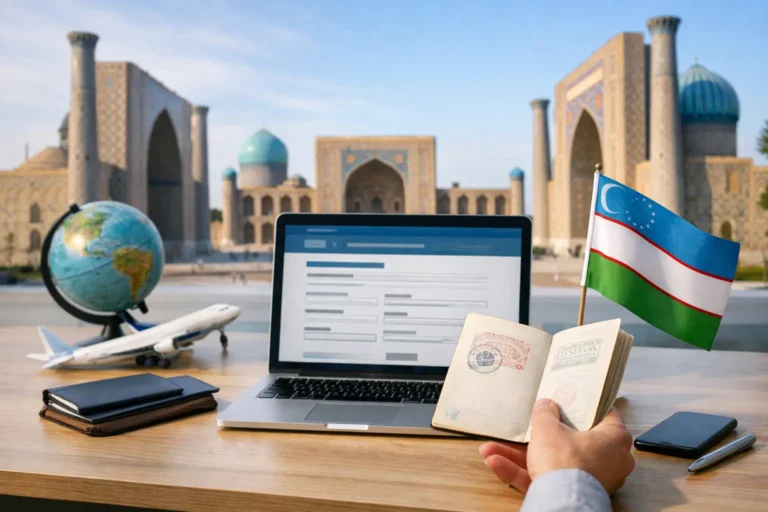
For most travelers, the first thing to check is accuracy. A small mismatch between your passport details and your application form can create a serious problem. If your full name, passport number, nationality, or passport validity dates were entered incorrectly, the system may flag the application. Even one wrong digit can cause a refusal.
Another common issue is document quality. If your passport scan is blurry, cut off, too dark, or difficult to read, the reviewing authority may not be able to confirm your identity properly. The same applies to passport photos that do not meet format standards. A low-quality upload can lead to rejection even if all your information is otherwise correct.
Eligibility also matters. Some travelers assume they can apply for an Uzbekistan e-Visa without first checking whether their nationality qualifies or whether they need a different visa route. If the selected visa type does not match your purpose of travel, that can also create a problem. A tourist traveler applying under the wrong category may face delays or refusal.
The most common reasons Uzbekistan visa applications are denied
The most frequent reason is inconsistent information. This includes spelling differences between your application and passport, missing middle names where required, incorrect dates, or outdated passport information. If you renewed your passport recently but used details from an old one, that can trigger a rejection quickly.
A second major reason is passport validity. If your passport does not have enough remaining validity for the trip, or if it is damaged, the application may not be approved. Some travelers focus only on the visa form and forget that the passport itself must meet entry rules.
A third reason is incomplete applications. If any required field is left blank, or if the uploaded file is missing, corrupted, or in the wrong format, the application may not move forward. This happens more often than people think, especially when travelers are applying from a phone or rushing to submit at the last minute.
There can also be issues related to previous immigration history. If an applicant has overstayed a visa in Uzbekistan or another country, or has prior violations connected to travel documents, the application may receive extra scrutiny. This does not automatically mean refusal, but it can affect the outcome.
In some cases, the concern is broader security screening. If the authorities cannot verify the purpose of travel, identity, or background information to their satisfaction, the application may be denied. This is where being clear and consistent matters.
Document mistakes that can lead to rejection
Many rejected applications come down to avoidable file errors. Your passport copy should be complete, readable, and current. If the machine-readable zone at the bottom of the passport page is cut off, that may be enough to cause a problem.
Your photo should also match the required standard. If it is heavily edited, too old, poorly lit, or taken against the wrong background, it may be rejected. A casual selfie is often not good enough for visa processing.
It is also important that the uploaded documents belong to the same applicant. This sounds obvious, but errors happen when families or groups apply together. Someone may upload the wrong passport file or accidentally attach another person’s image. When that happens, rejection becomes much more likely.
If any supporting documentation is requested, it should be consistent with your trip purpose. Business travelers, medical travelers, and tourists may not all be asked for the same information. Sending unclear or unrelated documents does not help and can sometimes make the application look less credible.
What to do after an Uzbekistan visa rejection
Start by identifying the exact issue, if that information is available. Sometimes the rejection notice is brief, but even a short message can point you in the right direction. If the reason mentions incorrect information, review every field against your passport. If it mentions documents, inspect the quality and formatting of each upload.
Do not rush into resubmitting the same application with the same errors. That wastes time and can create more frustration. First, fix the issue completely. If your passport scan was unclear, replace it with a sharper image. If your name was entered incorrectly, match it exactly as shown on the passport bio page.
If your passport validity is the problem, you may need to renew your passport before applying again. If the visa category was wrong, choose the correct route for your actual travel purpose.
This is also the moment when support can make a real difference. A guided review before submission can help catch small mistakes that applicants often miss on their own. For travelers who want a faster, simpler process, platforms like Visato.uz are designed to reduce that kind of avoidable error through a more user-friendly digital application flow.
Can you reapply after your Uzbekistan visa was rejected?
In many situations, yes. A rejection does not always close the door on future travel. If the issue was technical, clerical, or document-related, you can often reapply once the problem is corrected.
What matters is whether the original reason for refusal can be fixed. If the issue was a blurry passport copy, the solution is simple. If the issue involved eligibility, nationality rules, or a more serious compliance concern, the next step may require more careful review.
Timing matters too. If your travel date is close, reapplying without understanding the first rejection can create more stress. It is better to pause, correct the file properly, and then submit a cleaner application than to send another rushed version.
How to avoid another rejection
The safest approach is to slow down before submission, even if you need fast processing. Review your passport number, full name, date of birth, nationality, issue date, and expiry date character by character. Most application problems start with a simple mismatch.
Next, check your files. Make sure your passport image is bright, straight, and fully visible. Use a proper passport-style photo, not a cropped vacation picture. Confirm that every uploaded document belongs to the correct traveler.
You should also make sure your visa type matches your reason for visiting Uzbekistan. Tourist, business, and medical travel are not always processed in the same way. Choosing the wrong category can create confusion before your application is even reviewed in full.
Finally, apply early when possible. Fast processing is helpful, but extra time gives you room to correct problems if needed. Last-minute applications leave less margin for mistakes, delays, or resubmission.
When rejection is not about a mistake
Sometimes applicants do everything carefully and still receive a refusal. That can happen when the reviewing authority has concerns that are not fully explained in detail. Security checks, travel history concerns, or internal screening rules may affect the final decision.
This is frustrating, especially when the application looks complete from the applicant’s side. The practical response is to avoid assumptions, review your file objectively, and get help if needed before trying again. The goal is not just to submit quickly. It is to submit correctly.
If you are wondering why was Uzbekistan visa rejected, the answer is usually found in details that seemed minor at the time – one typo, one unclear file, one wrong category, or one missing requirement. The next application has a much better chance when those details are checked carefully, step by step. A calm review now can save you days of stress later and keep your trip plans on track.
Avoid delays from document or form mistakes
Send your question before submitting. We help travelers avoid common passport, photo, and application errors.
- Document and photo guidance
- Secure application handoff
- WhatsApp support available