You finish the application, enter your card details, click pay, and then the payment fails. That moment is frustrating, especially when your trip dates are close and you expected the e-Visa process to be fast. The good news is that most Uzbekistan visa payment problems have a practical cause and a workable fix.
If your payment is not going through, it does not always mean your application is rejected. In many cases, the issue is tied to card settings, bank security filters, browser errors, currency restrictions, or a mismatch between your payment details and the billing information on file. The fastest way forward is to identify the exact point where the payment stopped and fix that part only.
Avoid delays from document or form mistakes
Send your question before submitting. We help travelers avoid common passport, photo, and application errors.
- Document and photo guidance
- Secure application handoff
- WhatsApp support available
Why Uzbekistan visa payment problems happen
Most payment issues are not really visa issues. They are payment gateway or bank authorization issues that happen during an online international transaction. Because Uzbekistan e-Visa applications are submitted digitally, the system depends on your card provider, your bank’s fraud controls, and the payment page working correctly at the same time.
That means a failed transaction can happen even when your passport is valid, your application is complete, and you have enough money in your account. A card can be blocked for cross-border payments, a one-time password can expire, or a bank can decline the charge because it looks unusual. Sometimes the payment page times out after a few minutes, especially if the connection is unstable or the page is refreshed during processing.
There is also a timing factor. Some banks process international online payments more cautiously at night or when the transaction originates from a foreign merchant category. For travelers in the US, this can feel random, but it usually comes down to card security rules rather than anything wrong with the visa itself.
The most common payment errors and what they mean
When people run into Uzbekistan visa payment problems, the error message is often vague. You may see “transaction failed,” “payment declined,” “authorization error,” or no clear message at all. Each one points to a slightly different issue.
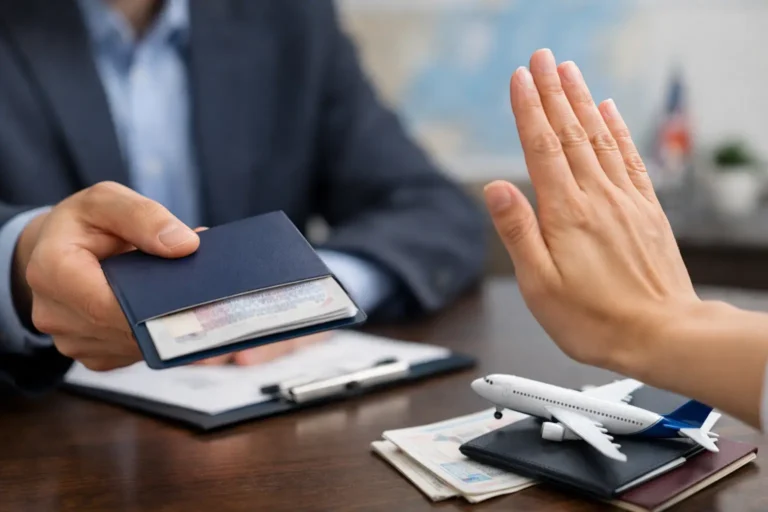
A declined payment usually means your bank refused the charge. This can happen because international online purchases are disabled, the card has spending limits, the bank flagged the transaction as suspicious, or the billing address did not match what the bank has on record.
An authorization error often means the bank requested an extra verification step and it was not completed correctly. For example, if your bank uses 3D Secure, you might need to approve the payment by text message, app notification, or one-time code. If that step fails or expires, the charge will not go through.
If the page freezes or returns to the payment screen, the issue may be technical rather than financial. Browser extensions, pop-up blockers, weak internet, or trying to open multiple tabs can interrupt the payment session. In those cases, repeating the payment without checking the application status first can create confusion.
How to fix a failed Uzbekistan visa payment
Start with the simplest check. Confirm that your card is open for international online transactions and has enough available balance for the full amount, including any small foreign transaction variation your bank may apply. Debit cards, credit cards, and virtual cards do not all behave the same way, so what works on one site may fail on another.
Next, verify your billing details exactly as your bank has them. Even a small mismatch in the cardholder name, ZIP code, or address format can trigger a decline. If you are using a corporate card or a family member’s card, that can add another layer of security review.
Then try the payment again using a clean session. Close the browser, reopen it, and complete the payment in one sitting. It helps to use a stable internet connection, avoid VPNs, and disable extensions that might interfere with secure payment pages. If you switched between phone and laptop during the application, it is often better to finish the payment on one device only.
If the same card fails again, contact your bank before making repeated attempts. Ask whether they blocked an international e-commerce charge and whether 3D Secure approval is required. A quick call can save a lot of time because banks can often see the exact decline reason immediately.
Before you pay again, check whether money was already taken
This step matters more than many travelers realize. A failed screen does not always mean no transaction happened. In some cases, the bank places a temporary authorization hold even though the final payment was not completed.
Check your card activity carefully. If you see a pending charge, do not keep submitting new payments right away. Wait a short time, then confirm whether the transaction changed from pending to completed or disappeared. A pending hold may drop off automatically if the payment was not finalized.
At the same time, check your visa application status if that option is available. If the application shows as unpaid, you likely need to retry. If it shows as submitted or under processing, a second payment attempt could create unnecessary complications. When there is any doubt, support is the safest next step.
Browser, device, and network issues that cause payment failures
Some Uzbekistan visa payment problems come from the device rather than the card. Mobile browsers sometimes auto-fill fields incorrectly. Desktop browsers may keep old session data. Public Wi-Fi can interrupt a secure payment handoff. None of these issues are rare.
A good fix is to use a standard browser such as Chrome or Safari, clear cache if needed, and avoid private relay tools or VPNs during payment. If one device keeps failing, try another device once, not five times in a row. The goal is to isolate the problem, not create multiple incomplete attempts.
You should also avoid refreshing the payment page after clicking submit. Online payment gateways can take a moment to return a result. Refreshing mid-process may break the session and make it look like the payment failed, even when the bank is still processing the request.
Country-specific banking restrictions can play a role
International travelers do not all face the same payment environment. Some banks are stricter with cross-border digital payments, and some cards have country or merchant restrictions enabled by default. This is especially common with newly issued cards, prepaid cards, or cards that have not been used for travel-related purchases before.
For US travelers, the most practical move is to notify the bank that you are making an international online payment for visa processing. That single step can reduce declines triggered by fraud prevention systems. If your bank offers in-app controls, look for settings related to international transactions or travel notices.
If one card keeps failing after bank confirmation, using a different card can be the fastest solution. It is not always a reflection of the visa platform. Sometimes one issuer simply handles international merchant authentication better than another.
When to contact support
If you have checked your bank, confirmed your card details, and tried a clean payment session once more, support should be your next step. This is especially true if you see a pending charge, received no confirmation email, or are unsure whether your application was submitted.
A reliable visa support team can help you confirm whether the application is in the system, whether payment was registered, and whether a new payment attempt is appropriate. If you are using a service platform such as Visato.uz, this kind of guidance can save time and help you avoid duplicate submissions.
When you contact support, include the passport email used for the application, the approximate payment time, the last four digits of the card if appropriate, and a screenshot of the error message if you have one. The clearer your information, the faster the issue can be reviewed.
How to reduce the risk of payment problems before you apply
A little preparation makes a real difference. Use a card that is active for international online purchases, keep your phone nearby for bank verification codes, and complete the form carefully so your personal details match your payment details where required. It also helps to apply well before your departure date, because urgency makes every payment delay feel worse.
If your trip is for tourism, business, or medical travel, the payment step should still feel like just one part of a straightforward online process. When it goes wrong, the fix is usually practical rather than complicated. Most travelers do not need to start over. They just need the right next step.
If your payment fails today, do not assume the whole visa plan is off track. A calm check of your card status, bank approval, and application status usually points to the answer quickly. With the right support, even frustrating payment errors can be handled in just a few steps.
The best approach is simple: stop, verify, and then move forward once – not five times in a panic.
Avoid delays from document or form mistakes
Send your question before submitting. We help travelers avoid common passport, photo, and application errors.
- Document and photo guidance
- Secure application handoff
- WhatsApp support available