Why Checking Your E-Visa Status Matters
Check e-visa status by using one of these quick methods:
- Application ID/Reference Number – Enter the alphanumeric code (e.g., A2C-B2E4) sent to your email after payment
- Email + Passport Number – Use these together if you don’t have your reference number handy
- Date of Birth + Application Number – Some portals require this combination for verification
All methods require entering a CAPTCHA code for security verification.
An e-visa is an electronic travel authorization that allows you to enter a country without visiting an embassy or waiting for a physical visa stamp. It’s stored digitally and linked to your passport number in government immigration systems.
Unlike traditional visas, e-visas are processed entirely online. You apply through an official government portal, submit your documents digitally, pay the fee, and receive your approval via email. The whole process typically takes 2-3 business days, though this varies by country.
The main benefits are clear: no embassy appointments, no mailing passports, and faster processing times. You can apply from anywhere with an internet connection, and once approved, your e-visa is automatically verified when you arrive at immigration.
After submitting your application, you’ll want to track its progress. Most e-visa systems send you an application reference number—usually an 8-digit alphanumeric code—that lets you check your status anytime. Some countries also allow status checks using just your passport number and email address.
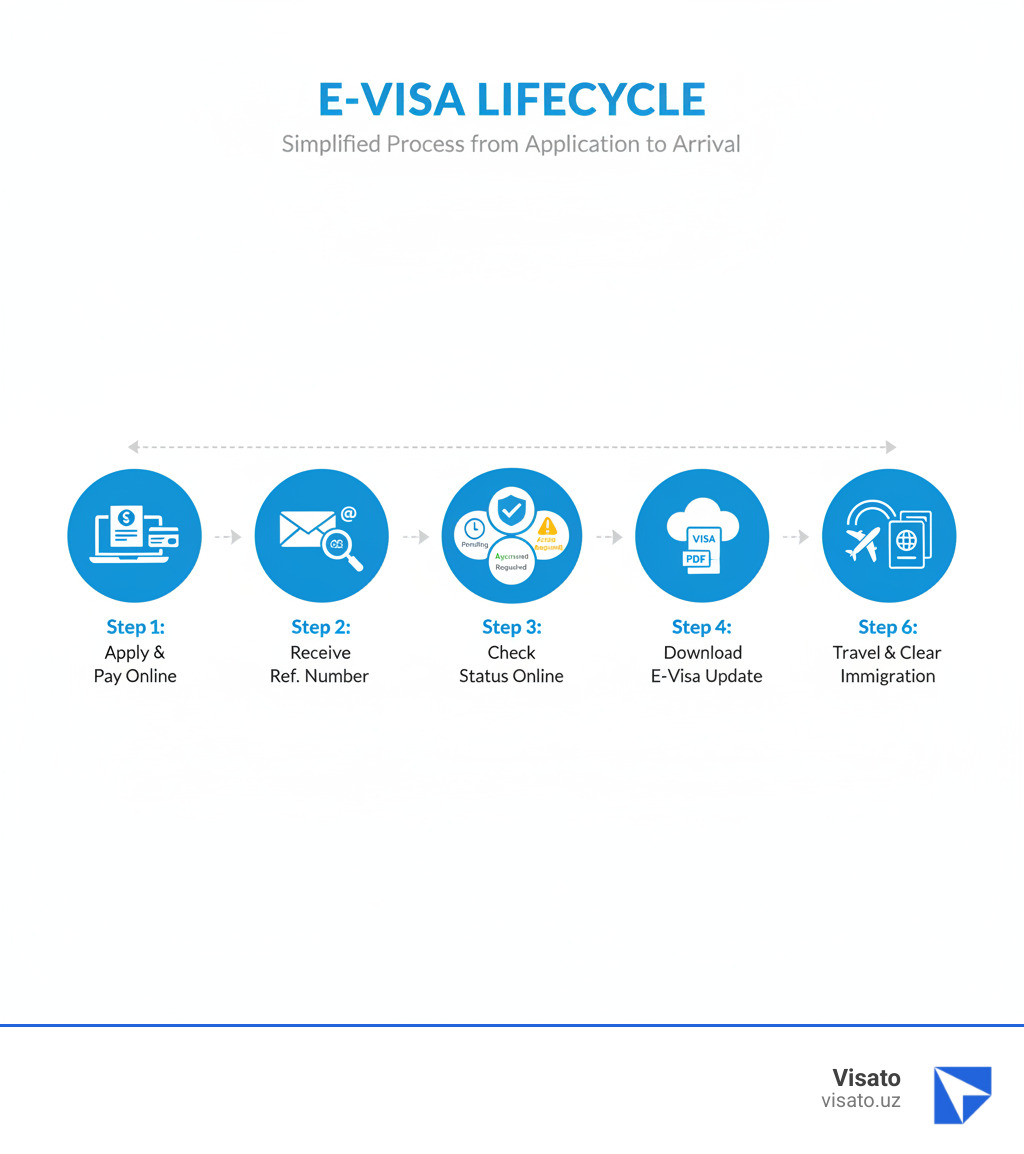
Your e-visa status will show as Pending (under review), Approved (ready to travel), or Action Required (needs document re-upload). If documents are rejected, you’ll typically receive an email notification within 24 hours asking you to re-submit them through the same portal.
I’m Nariman Huseynov, and over the past 5 years at Visato, I’ve helped thousands of travelers successfully check e-visa status and steer the online visa process for Uzbekistan and other destinations. This guide will walk you through exactly how to track your application and what each status means.
Basic Check e-visa status vocab:
How to Check E-Visa Status: A Step-by-Step Guide
You’ve submitted your e-visa application, paid the fee, and now you’re counting down the days until your trip. We get it—the waiting can feel endless! The good news? Checking your e-visa status is actually pretty simple, and you can do it anytime you need that peace of mind.
Start by heading back to the official government portal where you originally applied. For Uzbekistan, that’s the official e-visa website. If you applied through Visato, don’t worry—we’ll guide you through exactly where to go. Once you’re on the site, look for a button or link that says something like “Check Status,” “Status Enquiry,” or “Track Application.” It’s usually right on the homepage or in the main navigation menu.
When you find the status enquiry page, you’ll see a form asking for some specific details about your application. This is where that confirmation email you received after paying comes in handy. After you enter your information and prove you’re not a robot (yes, the dreaded CAPTCHA), just hit submit. Within seconds, you’ll see exactly where your application stands in the approval process.
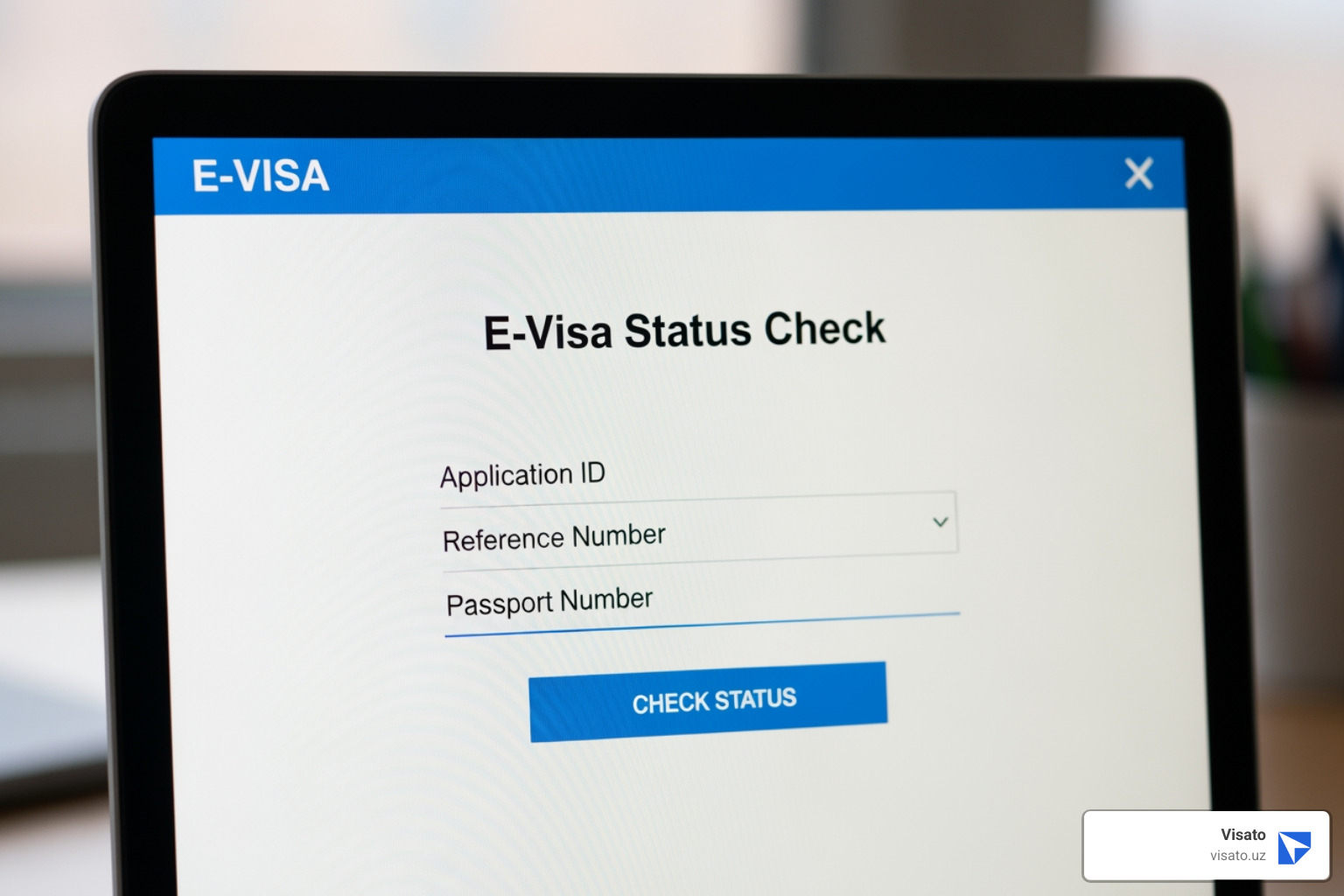
Common Methods to Check E-Visa Status
Different countries use slightly different systems, but most e-visa portals ask for similar information. Here’s what you’ll typically need to check e-visa status on any portal.
Your application reference number is usually the fastest way in. This unique code—something like A2C-B2E4—gets sent to your email right after you complete your payment. Think of it as your tracking number, just like when you order a package online. We always tell our clients to save this number somewhere safe, maybe screenshot it or forward the email to yourself. You can check your Uzbekistan e-visa status using this reference number.
Your passport number is another reliable option, especially if you’ve lost that reference number email (it happens to the best of us). Most portals will ask for your passport number along with your email address or date of birth to verify it’s really you checking.
The email address you used during application also works as a key identifier. Many systems combine this with your passport number or application ID to pull up your status.
Some portals require your date of birth as an extra security layer. They’ll typically ask for this alongside your application number or passport number to make sure they’re showing information to the right person.
And yes, you’ll almost always need to complete a CAPTCHA verification. Those squiggly letters or “click all the traffic lights” challenges exist to keep bots out of government systems. Annoying? Maybe a little. But it keeps your information secure.
Understanding Your E-Visa Status
Once you successfully check e-visa status, you’ll see one of several messages. Here’s what each one actually means for your travel plans.
Pending or Under Review means your application is sitting on someone’s desk (digitally speaking). The immigration authorities are reviewing your documents and information. This is completely normal, so try not to refresh the page every five minutes. We know it’s tempting!
Approved is the word you want to see. Your e-visa has been granted! You should receive an email with your e-visa document attached as a PDF, if it hasn’t arrived already. Time to start that packing list.
Processed is basically the same as approved—it means a decision has been made and your e-visa is ready or already on its way to your inbox.
Rejected or Denied isn’t what anyone wants to see, but it happens. The portal or an email should explain why your application wasn’t approved. Sometimes it’s a simple fix, like an expired passport or missing information.
Action Required or Resubmit Documents means you’re not out of the running yet. Something in your application needs attention—maybe a photo was too blurry, or a document didn’t meet the requirements. You’ll typically get an email notification asking you to re-upload the correct documents through the same portal. Think of it as a second chance to get everything right.
Knowing what these statuses mean helps you figure out your next move. Should you wait patiently? Contact support? Start planning your itinerary? For more detailed guidance on the entire process, check out our Uzbekistan E-visa Guide Seamless Application Process.
What You’ll Need to Track Your Application
Think of checking your e-visa status like checking into a hotel—you need a few key pieces of information to confirm your reservation. The good news? You probably already have everything you need sitting in your inbox or tucked into your travel documents.
When you submitted your e-visa application, you received a confirmation email. That email is your best friend right now. It contains the crucial details that will open up your application status and help you track your journey from “pending” to “approved.”

What Information Do You Need to Check E-Visa Status?
Before you steer to the status check portal, gather these essential pieces of information. Having them ready will make the process quick and painless.
Your application reference number is the most important piece. This unique identifier—usually a mix of letters and numbers like A2C-B2E4—was assigned to you the moment you completed payment. It’s in that confirmation email we mentioned, so dig it out and keep it handy.
Your passport number is equally crucial. The e-visa system uses it to match your application to your travel document. Make sure you enter it exactly as it appears in your passport, including any letters or special characters.
You’ll also need your full name as written in your passport. This isn’t the time for nicknames or shortened versions—immigration systems are sticklers for exact matches. The same goes for your date of birth. These details verify that you are who you say you are.
The email address you used during application serves as another layer of identification. Some portals send status updates to this address automatically, while others use it to retrieve your application information. Either way, make sure you have access to that inbox.
Finally, you’ll encounter CAPTCHA verification—those slightly annoying but necessary puzzles that prove you’re human and not a bot trying to access the system. It’s a small security step that protects everyone’s information.
For a complete breakdown of everything needed for your Uzbekistan e-visa application, visit our Uzbekistan E-visa Requirements page.
Keeping Your Information Secure
We know you’re trusting us with sensitive personal information—passport details, birth dates, and other private data. That’s a responsibility we take seriously at Visato.
When you check e-visa status through official portals or trusted services, your information travels through secure channels protected by SSL encryption. Think of it as an armored car for your data. This technology creates an encrypted tunnel between your browser and the server, making it virtually impossible for anyone to intercept your information mid-journey.
Most government e-visa systems use 128-bit encryption, which is bank-level security. To put that in perspective, it would take an impossibly long time for even the most powerful computers to crack this encryption. Your passport number, application details, and personal information are locked down tight.
Official government portals operate under strict privacy protection laws. Your data isn’t just sitting on a server somewhere—it’s governed by federal privacy regulations that mandate how it can be stored, used, and protected. Your application identifiers and personal details remain confidential throughout the entire process.
When you’re checking your status online, look for the padlock icon in your browser’s address bar and make sure the URL starts with “https://”—that little “s” stands for “secure” and means your connection is protected. These visual cues are your quick confirmation that you’re on a legitimate, secure site.
At Visato, we’ve built our entire service around protecting your information while making the application process as simple as possible. We follow the same rigorous security standards as government portals, ensuring your secure account access and peace of mind from application to approval. For more details on how we handle your information, check out our Uzbekistan Visa Policy Guide.
Troubleshooting Common E-Visa Status Issues
Even with the best preparation, sometimes things don’t go quite as smoothly as planned. You might encounter an error message when you try to check e-visa status, or your application simply won’t appear in the system. Take a deep breath—these hiccups are usually fixable, and we’re here to help you work through them.
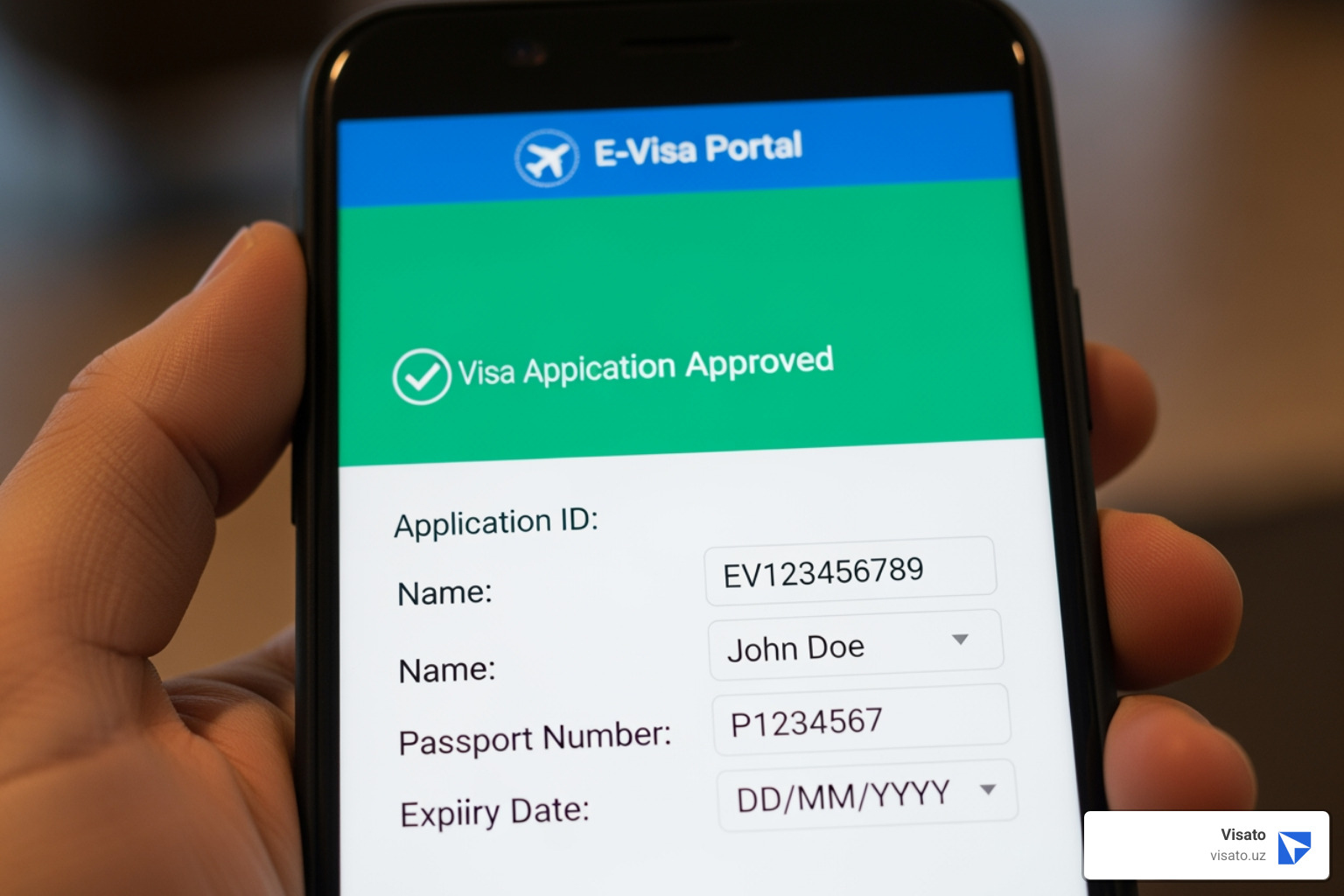
What to Do if You Can’t Find Your Status
An “Application Not Found” error can feel like hitting a brick wall, but there’s almost always a way around it. The first thing to do is double-check your information. It sounds simple, but even a single typo in your application ID, passport number, or date of birth can throw the system off. Make absolutely sure everything matches exactly what you entered when you applied.
If you’ve just submitted your application, the system might need a little time to catch up. Wait 24 hours before checking again. Government systems sometimes experience delays during high-traffic periods, and your application status might not show up immediately, even though your application went through successfully.
Next, take a look at your email inbox, and don’t forget to check your spam or junk folder. Your application confirmation with the reference number should have arrived shortly after you completed your payment. Automated emails have a funny habit of ending up in spam folders, so it’s worth a thorough search.
If the primary method isn’t working, try an alternative approach. Many portals let you check e-visa status using different combinations of information—your passport number and email address, for example, or your date of birth with your application number. Switching up your method might do the trick.
When you’ve tried everything and still can’t access your status, it’s time to contact support. Official e-visa portals typically have a dedicated help section or contact page. If you applied for your Uzbekistan e-visa through Visato, our 24/7 support team is always ready to help you track down your application and get things sorted. We’ve seen it all, and we know how to fix these technical glitches quickly. For more detailed guidance on common issues, check out our Uzbekistan E-visa Problems Complete Guide.
Handling Rejection or Document Requests
Seeing a “Rejected” or “Action Required” status can be disheartening, but it doesn’t necessarily mean your travel plans are over. In many cases, you’ll have a chance to fix the issue and get your application back on track.
When something goes wrong with your application, you’ll typically receive an email notification explaining what needs attention. This email is your roadmap to fixing the problem. Some systems send these notifications within 24 hours if your documents don’t meet the requirements, so keep an eye on your inbox.
The reasons for rejection are usually straightforward. Common culprits include blurry passport scans, photos that don’t meet the exact specifications, expired documents, incomplete form fields, or passport details that don’t match your application. Sometimes it’s as simple as a photo showing your shoulders when only your face should be visible, or a scan that’s too dark to read clearly.
Understanding the difference between a document re-upload and a full re-application is important. If your status shows “Action Required,” you can usually fix the problem by uploading better versions of your documents through the same application portal. Look for a tab or link that says “Re-upload Documents” or something similar. However, if your application is outright rejected for eligibility reasons or major errors, you might need to start fresh with a new application.
When you get that notification asking for new documents, take your time to get them right. Make sure your photos are well-lit and meet all the size and format requirements. Double-check that your passport scan is clear and all four corners are visible. These small details make a big difference.
If the instructions aren’t clear, or you’re not sure what went wrong, don’t hesitate to reach out for help. At Visato, we guide our Uzbekistan e-visa applicants through these situations every day. We can review your documents before you re-submit them and make sure everything meets the requirements. Our goal is to get your e-visa approved on the next try, so you can focus on planning the exciting parts of your trip.
The E-Visa Journey: From Application to Approval
Think of the e-visa process like booking a flight online – you fill in your details, pay, and receive a confirmation. The whole thing happens from your couch, and before you know it, you’re ready to travel.
It all starts with an online application form on an official government portal or through a trusted service like Visato. You’ll fill in your personal details, travel plans, and answer a few security questions – nothing complicated. Then comes the document upload: you’ll need a digital copy of your passport’s bio-page and a recent digital photo that meets specific requirements (think passport-style, with the right background and dimensions).
Once everything’s entered and your documents are uploaded, you’ll pay the e-visa fees online using a credit or debit card. After payment goes through, you’ll receive a payment confirmation along with your application ID or reference number – this is your golden ticket for tracking your progress. From there, it’s a waiting game while the immigration authorities review your application and, hopefully, send your approved e-visa straight to your inbox.
How Long Does an E-Visa Typically Take?
Here’s where e-visas really shine: speed.
For most countries, including Uzbekistan, the standard processing time is remarkably quick. At Visato, we typically deliver e-visas in as little as 2-3 business days. Compare that to traditional visa applications that could take weeks of waiting (and maybe a trip to an embassy), and you’ll see why travelers love this system.
Some destinations offer expedited services for an additional fee if you’re really pressed for time, though with standard processing already being so fast, most travelers find the regular timeline perfectly adequate.
That said, processing times do vary by country. The Canada eTA, for instance, usually processes within minutes, while other destinations might take a few days longer. It’s always worth checking the specific requirements for your destination.
One word of caution: during peak travel seasons or major holidays, processing can slow down a bit due to the sheer volume of applications. High season means busy immigration offices, and even efficient systems can experience slight delays. That’s why we always recommend applying well before your departure date – it saves you from any nail-biting moments at the airport.
For more details on what you’ll pay for your Uzbekistan e-visa, check out our Uzbekistan E-visa Fees Complete Guide.
What Are the General Steps to Apply for an E-Visa?
Applying for an e-visa is straightforward, but getting the details right matters. Here’s how the process unfolds:
First, you’ll visit the official portal for your destination country – for Uzbekistan, that’s the official e-visa website, or you can use Visato to simplify things. Once there, you’ll select your visa type and nationality. Are you traveling for tourism or business? What’s your passport country? These choices determine what documentation you’ll need.
Next comes the online application form. This is where accuracy counts. You’ll enter your personal details, passport information, travel dates, and the purpose of your visit. Take your time here – a single typo in your passport number could cause delays or rejection.
Then you’ll upload your required documents: a clear scan of your passport’s bio-page, a recent passport-style photograph, and any supporting documents your destination requires (like hotel bookings or invitation letters). Make sure these files meet the specified formats and sizes – blurry photos or oversized files are common reasons for document rejection.
After everything’s uploaded, you’ll pay the e-visa fee using a credit or debit card. The payment is secure and processed immediately.
Once payment clears, you’ll receive a confirmation email with your application ID or reference number. Print this email or save it somewhere safe – you’ll need that number to check e-visa status while your application is being reviewed.
Now comes the waiting part. The immigration authorities review your application, checking your documents and verifying your information. This is when you’ll want to periodically check your status using that reference number we mentioned.
Finally, when your application is approved, your e-visa arrives in your email inbox as a PDF document. Print a copy to bring with you (some travelers like to keep a backup), and save a digital version on your phone. Though the visa is typically linked directly to your passport in the immigration system, having a printed copy provides peace of mind.
For a detailed walkthrough specific to Uzbekistan, visit our How to Apply for Uzbekistan Visa Online guide. We’ll walk you through every click and upload, making the whole process feel less like bureaucracy and more like the exciting start to your journey.
Frequently Asked Questions about E-Visa Status
We hear these questions all the time from travelers preparing for their journeys. Let’s clear up some of the most common curiosities about e-visas and checking their status.
Which countries offer e-visas?
The e-visa revolution is spreading fast, and it’s wonderful to see! More and more countries are embracing this digital approach to make international travel smoother and more accessible for everyone.
While our passion at Visato is helping you get your Uzbekistan e-visa quickly and hassle-free, we know that many travelers are exploring multiple destinations. Countries around the world are adopting e-visa systems or similar electronic travel authorizations. Canada offers an Electronic Travel Authorization (eTA) for visa-exempt travelers flying through Canadian airports—you can learn more at Electronic travel authorization. The United Kingdom uses an innovative eVisa system that digitally tracks immigration status, which you can access at eVisas: access and use your online immigration status.
Other countries with e-visa portals include Azerbaijan through their Official Electronic Visa Portal, Mauritius via their Republic of Mauritius e-government system, Myanmar at the Myanmar eVisa (Official Government) portal, and the Kyrgyz Republic through their E-VISA portal.
This list keeps growing as more nations recognize the benefits of digital visa processing. We always recommend checking the official government website of your destination country for the most current information. And of course, for Uzbekistan, we’ve got you covered with our expertise and 24/7 support.
Is there a fee to check my e-visa status?
Here’s the good news: checking your e-visa status is typically completely free. When you pay your initial e-visa application fee, that covers the entire process—from submission and review to processing and the ability to track your application’s progress every step of the way.
You should be able to check e-visa status as many times as you want without seeing any additional charges on your credit card. It’s all included in that original fee.
That said, we do want to give you a friendly warning. Some unofficial third-party websites might try to charge you just to look up your status. This is a red flag! Always use the official government portal or a trusted service’s dedicated status page. If anyone asks for extra payment simply to view your application status, something’s not right. Legitimate services, including Visato, never charge you separately just to check where your application stands.
What is a “share code” and how does it relate to my eVisa?
If you’re not familiar with the UK’s immigration system, the term “share code” might sound a bit mysterious. It’s actually a clever feature used primarily in the United Kingdom’s eVisa system, and it’s worth understanding because it represents the future of how digital visas work.
Your UK eVisa stores your immigration status digitally—including your rights to work, rent property, or access benefits in the UK. Instead of carrying around physical documents or showing your full eVisa to employers or landlords, you can generate a share code from your UKVI account. This code acts as a temporary, secure key that proves your immigration status.
When someone needs to verify your status, they combine your date of birth with your share code to access a limited, secure view of your immigration information online. They can confirm what they need to know without seeing all your personal details. It’s proof of status designed for verification purposes.
These codes are valid for a limited time—typically around 90 days—though you can use them multiple times during that period. Once expired, you simply generate a new one. It’s a modern alternative to showing visa documents, and it’s much more secure and convenient.
While share codes are specific to the UK system right now, they’re a great example of where digital immigration is headed. As e-visa systems evolve worldwide, we’ll likely see more countries adopting similar smart solutions for proving travel authorization.
Conclusion: Travel with Confidence
You’ve learned how to check e-visa status, what information you need, and how to troubleshoot common issues along the way. Armed with this knowledge, you’re well-prepared to track your application from submission to approval—and that preparation makes all the difference when you’re planning an exciting trip.
The most important thing to remember? Always use official government portals or trusted services like Visato.uz when checking your status. This protects your personal information and ensures the updates you receive are accurate and reliable. Whether you’re entering your application ID, passport number, or email address, having these details ready means you can quickly see where your e-visa stands at any moment.
Before you head to the airport, do one final check of your e-visa status. It takes just a minute and gives you that reassuring peace of mind that everything is in order. Print a copy of your approved e-visa or save it to your phone—immigration officials will verify it’s linked to your passport, but having it accessible never hurts.
The e-visa system exists to make your life easier. Faster processing times, no embassy visits, and the ability to track everything online means less stress and more time focusing on the exciting parts of your journey—exploring new places, meeting new people, and creating memories that last a lifetime.
At Visato.uz, we’ve spent years perfecting the Uzbekistan e-visa process because we know how important it is to get it right. Our streamlined application delivers your e-visa in as little as 2-3 business days, and our 24/7 support team is always standing by if you need help. We handle the complexity so you can focus on packing your bags.
For a hassle-free journey to Uzbekistan, ensure you meet all the Uzbekistan e-visa requirements before you apply. When you’re ready, we’re here to guide you through every step—from application to approval to the moment you step off the plane in Tashkent.
Travel with confidence. Your adventure awaits.