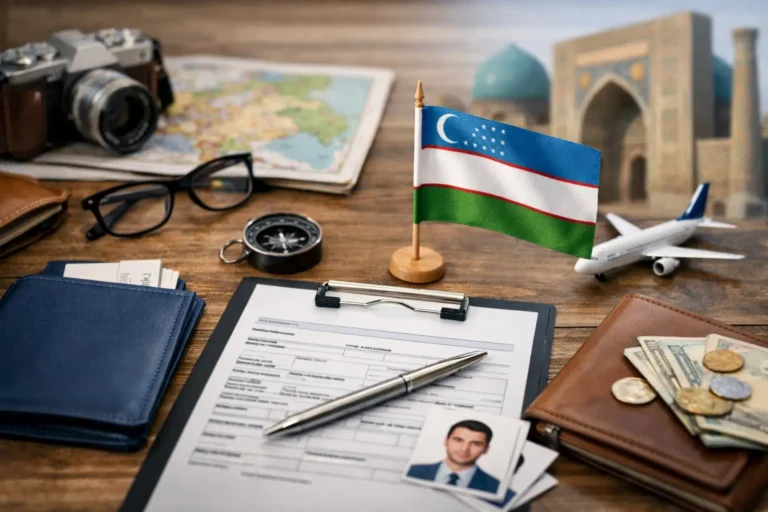
If you have ever lost time switching between embassy pages, photo apps, PDF editors, and payment screens just to submit one visa request, you already know the problem. The best online tools for visa applications are not just convenient – they reduce mistakes, speed up document prep, and make the process feel manageable from the first step.
For most travelers, the hardest part is not the visa decision itself. It is handling the small but critical details: using the right passport scan, meeting photo size rules, entering names exactly as shown on your document, tracking status updates, and paying securely without delays. Good digital tools remove friction at each of those points.
That matters even more when you are applying for an electronic visa, where speed and accuracy go together. A fast form is only helpful if it also helps you avoid errors that can slow processing or force you to start again.
What makes the best online tools for visa applications useful
The most helpful visa tools do three things well. First, they simplify tasks that usually cause delays, such as resizing files or checking whether a passport has enough validity. Second, they make the process clearer by showing what is required before you submit. Third, they keep everything in one digital flow so you are not chasing documents across devices and inboxes.
Not every traveler needs the same setup. A tourist applying for an Uzbekistan e-Visa may only need a clean upload process, secure payment, and a simple status checker. A business traveler handling multiple trips may care more about organized document storage and deadline reminders. The best tool is the one that matches the complexity of your trip without adding extra steps.
1. Online visa application platforms
A dedicated visa platform is usually the most important tool in the process because it acts as the central workspace for your application. Instead of forcing you to piece together requirements on your own, a strong platform guides you through eligibility, required documents, form completion, payment, and status tracking.
This is where time savings become real. When the form is structured clearly, you are less likely to miss a field, upload the wrong file, or misunderstand the travel purpose options. That is especially valuable for travelers who want a fully digital process rather than embassy visits or paper submissions.
For Uzbekistan e-Visas, this type of all-in-one support is often the fastest path because the process is already designed for online handling. Services built around digital visa applications can also provide direct assistance when a traveler is unsure about passport details, travel dates, or document formatting.
2. Passport scan and file compression tools
One of the most common reasons people get stuck is simple file quality. A passport image may be too blurry, too dark, too large, or saved in the wrong format. Online scan and compression tools help fix that before submission.
The best options preserve readability while reducing file size. That balance matters. Over-compressing a passport image can make text harder to read, while uploading a file that is too large can cause errors or rejections. A good tool lets you crop edges, improve brightness, and export in a widely accepted format like JPG or PDF.
If you are using a phone, choose a tool that corrects perspective automatically. A passport placed on a table often looks slightly angled in a photo, and that can affect readability.
3. Visa photo tools
Visa photos cause more trouble than many travelers expect. Dimensions, background color, head position, shadows, and facial expression can all matter depending on the destination. A dedicated online photo tool can save a lot of back-and-forth.
The most useful tools check size requirements, center the face correctly, and help remove background issues without making the image look artificial. That last point is important. Some editing tools clean up a photo so aggressively that it starts to look altered, which can create problems if the image no longer appears natural.
For e-Visa applications, the goal is usually simple: a clear, compliant digital photo that uploads successfully the first time.
4. PDF editors and document merge tools
Many travelers need to combine files, rotate pages, rename documents, or convert one format into another before submitting a visa request. A basic PDF tool can handle all of that in a few minutes.
This becomes especially useful if your supporting documents come from different sources. You might have an invitation letter in PDF, a hotel confirmation as an image, and a medical note that needs cleanup before upload. A document editor helps standardize those files so your application looks complete and organized.
The trade-off is privacy. Since visa documents contain sensitive personal information, it is smarter to use reputable tools and avoid uploading more data than necessary. If a platform already accepts separate uploads, there is no need to merge everything into one file just for convenience.
5. Translation and text verification tools
Visa forms are often simple, but names, addresses, and travel details must be exact. Translation tools can help international travelers understand requirements quickly, while text verification tools can catch basic spelling mistakes before submission.
They are helpful, but they should be used carefully. Automatic translation is fine for understanding general instructions, but it should not replace official wording when entering legal names, passport numbers, or document details. Even a small mismatch between your application and passport can create delays.
A good rule is to use these tools for clarity, not for guessing. If a field is unclear, direct support is better than making assumptions.
6. Secure online payment systems
Payment is one of the final steps, but it has a big impact on the overall experience. A secure payment tool should work smoothly across cards and regions, confirm the transaction clearly, and reduce the chance of a failed checkout.
This matters because a payment issue can leave travelers unsure whether the application was actually submitted. The best systems provide immediate confirmation and a clean record of the transaction. They also support a straightforward digital flow so you do not have to restart the application after checkout.
For travelers applying through a service platform, secure online payment is part of the trust equation. If the payment process feels confusing, confidence drops fast.
7. Application status tracking tools
Waiting is easier when you know where things stand. A status checker is one of the most practical tools in the visa process because it replaces uncertainty with visibility.
The best tracking tools are simple. You enter a reference number or email and see whether your application is received, under review, approved, or needs attention. That is much better than relying only on scattered email updates, especially if you are traveling soon.
For a service-focused platform, this tool also reduces support friction. Travelers can check progress on their own and reach out only when something specific needs clarification.
8. Cloud storage and document organization tools
Visa applications involve more than one file, and those files tend to multiply during trip planning. Passport copies, travel bookings, photos, payment confirmations, and approval letters can quickly end up across different apps and devices.
A secure cloud storage tool keeps everything in one place and makes it easier to access documents if you need to resubmit, update, or present them during travel. The most useful setup is a single folder for each trip with clear filenames and a backup copy of every final document.
That said, storage should be organized, not excessive. Keeping outdated drafts next to final files can cause confusion, especially when you are uploading under time pressure.
9. Live chat and support tools
Sometimes the best tool is not a form or editor. It is fast human help. When a traveler is unsure about eligibility, document format, or timing, live support can prevent the kind of small mistake that leads to a bigger delay.
This is where service quality stands out. A platform with responsive assistance is often more useful than one with extra features but no real support. For many applicants, especially first-time e-Visa users, reassurance is part of the product.
That is why support-driven platforms such as Visato.uz appeal to travelers who want more than a form. They want a process that feels clear, secure, and backed by real help when needed.
How to choose the right tool stack for your visa application
You probably do not need all nine tools for every trip. If your application is straightforward, you may only need a visa platform, a photo tool, and status tracking. If your case involves supporting documents, multiple travelers, or tighter deadlines, adding PDF editing, cloud storage, and live support becomes more valuable.
The easiest way to decide is to look at where mistakes usually happen. If file uploads are your weak point, focus on scan and compression tools. If requirements are confusing, prioritize a platform with guidance and support. If timing is tight, choose tools that reduce repeated work and let you check status quickly.
A good visa process should feel like just a few steps, not a research project. The right online tools do not just help you submit an application. They help you submit the right application, with less stress and more confidence.
Before you start your next trip, set up your documents, photo, and payment method first, then choose a visa platform that keeps the rest simple. A few smart tools at the start can save hours later – and make the path to approval feel much clearer.